Get an email when an offer you run changes its payout or stops running. Each team member sets up their own under Email alerts.
Changelog
What we shipped.
Changes customers can see in the app, newest first. Each one is dated the day it went live.
October 2026
-
Publishers Publishers A Monday email can list games that climbed into our top sellers this week and that you don't run yet. Pick top 10, 20 or 50 under Email alerts.
Networks Get email alerts for the offers your publishers earn on, across all your publishers or the ones you pick. Each team member sets up their own under Email alerts.
-
Publishers Set your own API user reward, as a percent of your payout, under My Profile. Where the advertiser set no reward, the Offer API's
userRewardUsdand your postbacks'user_payoutfollow it. Your payout doesn't change, and install steps keep a $0 user reward unless the advertiser set one. -
Publishers When we hold a daily cap for you on an offer, its page shows how much is left today and when it resets at midnight ET.
-
Publishers Filter the dashboard by property or app, if you send property IDs with your clicks.
-
Publishers Sort offers by what their first event pays, on every category tab.
-
Publishers Add
How postbacks worksub1tosub10to a tracking link and get them back on that conversion's postbacks, as params or as{sub1}to{sub10}macros. -
Publishers Offers that fill their daily cap stay in the list as Capped for today, with the time they reopen.
-
Publishers Each payout step shows its numeric event ID on the offer page, with a copy button.
How payouts work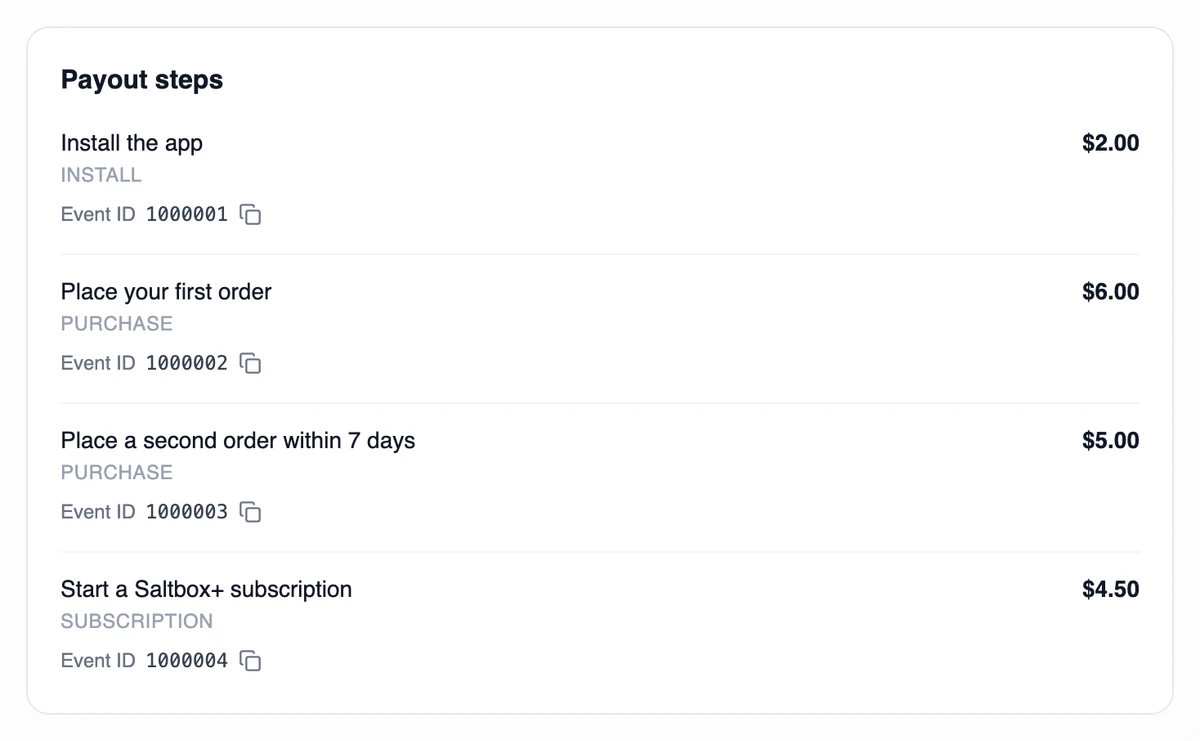
Publishers The Postbacks screen lists 15 macros, up from 8. Two are new:
{offer_name}and{conversion_name}.- {sub_id}
- {transaction_id}
- {payout}
- {revenue}
- {user_payout}
- {offer_id}
- {goal_id}
- {offer_id_numeric}
- {goal_id_numeric}
- {conversion_name}
- {offer_name}
- {status}
- {reason}
- {purchase_type}
- {purchase_amount}
The 15 the Postbacks screen lists. The two new ones are highlighted. -
Publishers Reversed conversions show when the reversal arrived, on screen and in the CSV export.
September 2026
-
Publishers A reversed conversion can show the reason it was reversed, on Conversions, in Flight Recorder and in the CSV export.
How reporting works -
Publishers The Offers page gets category chips, such as Games, Sign-ups and Finance, and a Most Popular view.
-
Advertisers Attribution opens on the installs our clicks drove, with the click-to-install rate and a date range you pick.
How install matching works
August 2026
-
Publishers Create a postback for every event on an offer in one go, then give any of them its own URL.
How postbacks work -
Advertisers Keyword campaigns get their own Keyword tracking page: each campaign's rank over time, with its current and best position in each store.
About keyword campaigns -
Advertisers Edit a live campaign's name, link and events without pausing it. It keeps running while we review the changes.
See these in the app.
Request publisher access, start a campaign or book a demo.